
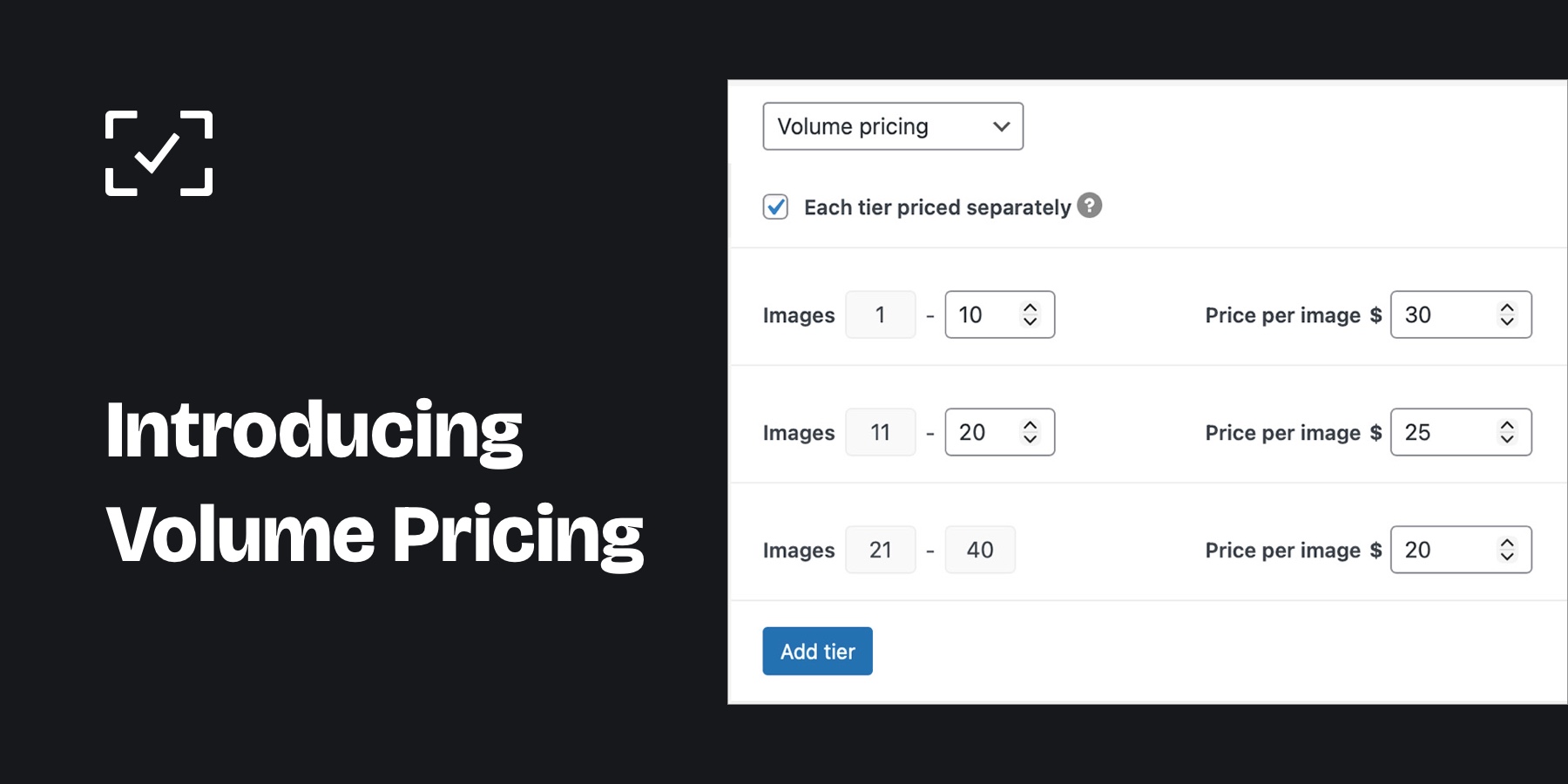
We just released version 2.4.0 of picu Pro, which enables a new pricing type when selling images through picu. The new Volume Pricing allows you to set different prices depending on the amount of images your clients are ordering.
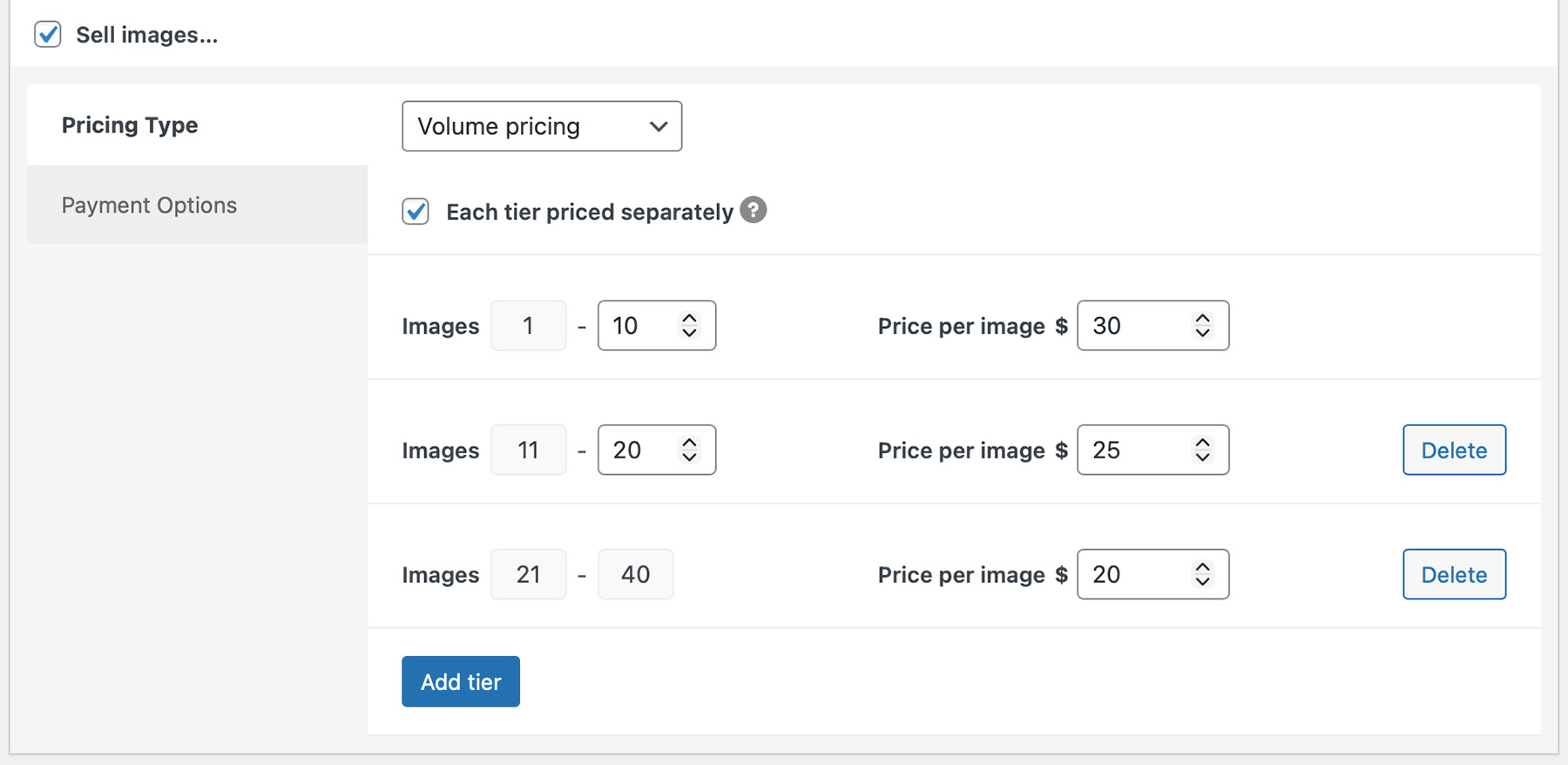
For example, this will let you set a different price for orders of 1-10 images than for orders of 11-20 images, and you can choose if the volume price applies to all images of the order or only to the ones in the respective bracket. This gives you a very flexible way to encourage customers to purchase more and increase your photo sales, all while giving something back to them in return.
Here’s what this looks like in the backend when setting up e-commerce for a collection:
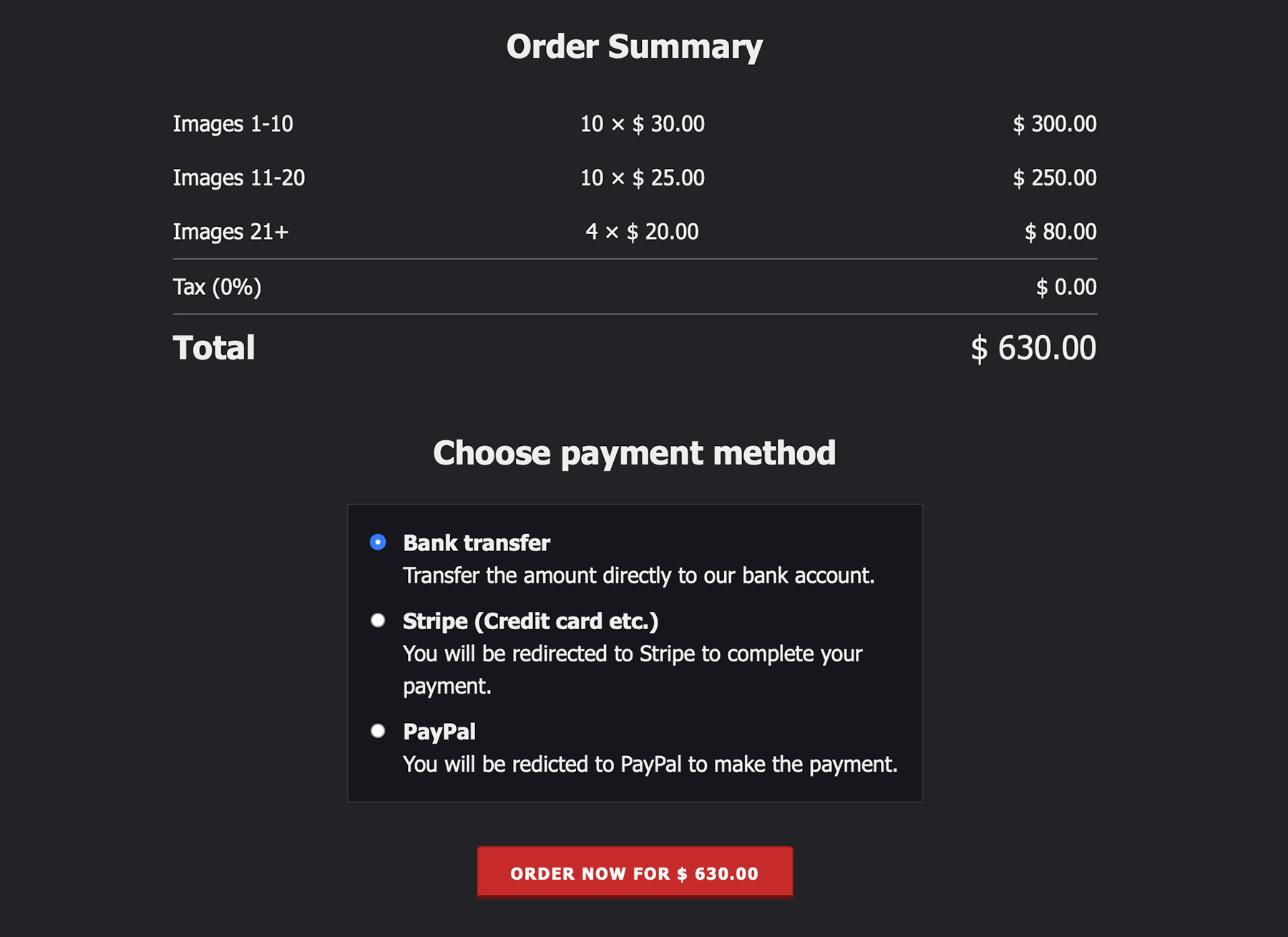
In the order summary, the prices will be calculated automatically and displayed to the customer like this:
Here’s a quick preview video of the new functionality, which should give you a good first impression of how it works.
How to get started
If you’re already a picu Pro customer, volume pricing is now available in your installation, no additional purchase necessary. Simply update to the latest version to start offering flexible pricing tiers to your clients.
To help you get started, we’ve updated our documentation page with some info on volume pricing.
Not a picu Pro customer yet?
Now’s the right time to give it a try. Volume pricing is just one of the powerful features for professional photographers and creatives in picu Pro.