Getting Final Approval

We intend picu to be used as a tool to get final approval for a collection of images – a decision that you, the photographer, can rely on.

That is the reason, why – after the client sent his/her selection – they are not allowed to make changes anymore.

It wouldn’t be final after all, if they could still make changes.

If they are not sure about their selection, they can use the save button and come back later to make their final decision.

(We will probably add a note, making it even clearer for the client, that he/she can’t make any changes, after they clicked on “Approve Selection”.)


If the client made a mistake or they want to make changes, they need to contact you. Depending on where you are in your workflow, you might have already started working on the approved images! Now it is in your hands to decide how to proceed.


This is how to reopen a collection, if you ever need it:
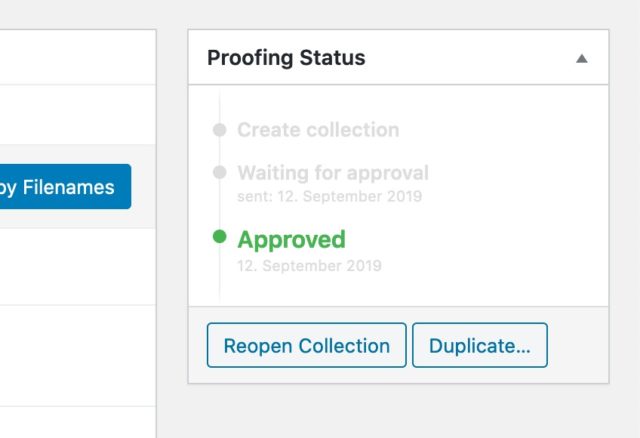
Click on the “Reopen Collection” button to enable image selection again
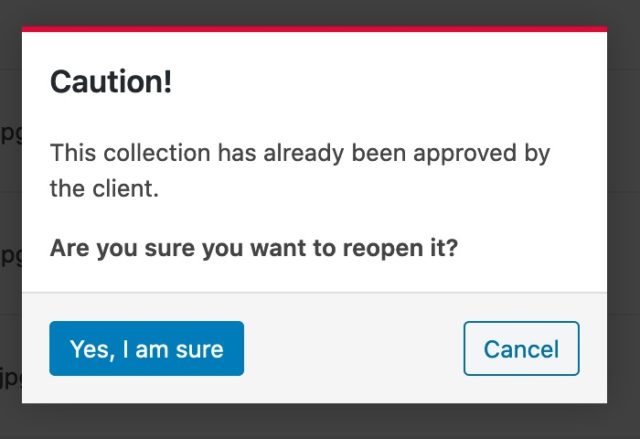
You have to confirm that you really want to reopen the collection
Posted in:

Related Posts

These posts could interest you as well, read on to get the full picture.

  • Update – March 2026

    This month, we released a major update to make images even safer in picu Pro, worked on some more tweaks for the upcoming version 7.0 of WordPress and sketched out some new concepts and ideas for picu going forward. Improved Image Protection (Pro) We want to make sure that the images you upload to picu

    Read more

  • Update – February 2026

    Here’s a look at some of the things we worked on in February, and what’s coming up next. Improving Image Protection (Pro) Ever since we started building picu, one question came up over and over again: How do I really protect my images? Over the years, we’ve added a solid set of protective measures like

    Read more